


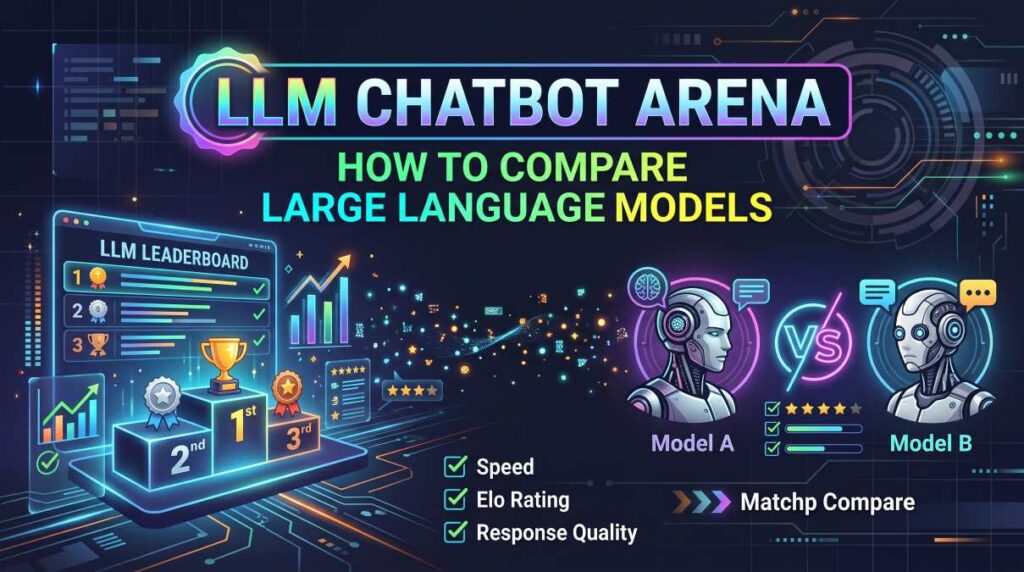
Choosing a chatbot has become more complicated than simply picking the most popular name. One model may produce excellent writing, another may perform better at coding, and a third may offer a lower price for everyday tasks. So, how can you compare large language models without spending hours testing every available tool? That is where LLM Chatbot Arena becomes useful. It provides a way to compare model responses through real prompts and user preferences, helping you understand how different models perform in practical situations.

However, leaderboard rankings do not tell the entire story. A highly ranked model may not be the most affordable option, and the best choice for a software developer may not suit a student, blogger, or small business owner.
In this guide, you will learn how LLM Chatbot Arena works, how to interpret its rankings, which features matter most, and how to choose a model that fits your needs and budget.
Whether you are researching tools for content workflows, programming, business productivity, or everyday questions, this comparison guide will help you make a more informed decision.
Quick Summary: What You Need to Know
- LLM Chatbot Arena is a platform associated with comparing language models through user evaluations of their responses.
- Blind comparisons can help reduce brand bias when judging response quality.
- Leaderboard position is only one factor; accuracy, speed, cost, privacy, and usability also matter.
- The best language model depends on your actual tasks, not just its overall ranking.
- Before paying for a subscription or API, test your most common tasks and compare the total cost.
Quick recommendation: Start with a free comparison experience, shortlist two or three models, and test them using the same prompts. Upgrade only when a paid feature solves a genuine problem.
What Is LLM Chatbot Arena?
LLM Chatbot Arena is commonly associated with LMSYS Chatbot Arena, a research project developed to evaluate large language models through human preferences.
Its central idea is straightforward: users submit prompts, receive responses from competing models, and evaluate which response they prefer. In blind comparison settings, the model identities are hidden until after the comparison, helping users judge the answers rather than the brands.
The project has also been associated with public leaderboards that aggregate user preferences into comparative rankings.
For readers who want to explore the original project, look for the official LMSYS Chatbot Arena or Chatbot Arena website.
Why Does This Matter?
Traditional software comparisons often focus on specifications. Language models are more difficult to evaluate because the quality of an answer depends on the question, context, and task.
For example, consider three models responding to the same request:
- Model A produces a clear, well-organized explanation.
- Model B gives a shorter answer with more technical detail.
- Model C responds quickly but overlooks an important requirement.
Which model is best?
The answer depends on what you value. Chatbot Arena-style comparisons help reveal these differences by collecting judgments about actual responses instead of relying entirely on marketing claims.
Who Should Use LLM Chatbot Arena?
It can be useful for:
- Developers comparing coding and debugging assistance.
- Bloggers evaluating outlines, editing suggestions, and explanations.
- Students comparing how clearly technical concepts are explained.
- Business owners researching productivity tools.
- Researchers exploring differences between language models.
- Tech enthusiasts following model performance and competition.
The important point is that a comparison platform helps you narrow your options. It does not replace testing a tool in your own workflow.
How Does LLM Chatbot Arena Work?
The comparison process is designed to make model evaluation more practical.
Although platform features and evaluation methods can change, the general workflow follows a few basic steps.
Step 1: Submit a Prompt
Enter a question, instruction, or task you want the models to complete.
For example:
“Explain the difference between SSD and HDD storage to a beginner in 150 words. Include one example and avoid unnecessary technical terms.”
A specific prompt makes it easier to evaluate whether the responses satisfy your requirements.
Step 2: Compare the Responses
In a blind comparison, you see answers from competing models without immediately knowing which model produced each one.
Read both responses carefully. Consider accuracy, clarity, relevance, completeness, and formatting.
Step 3: Choose the Better Answer
Select the response that better satisfies your needs, or use any available option for a tie or an unsatisfactory comparison.
Your preference may contribute to the platform’s evaluation data, depending on the current implementation.
Step 4: Review the Results
Once model identities are revealed, you can see which models produced the responses.
Repeated comparisons help users build a more informed understanding of model strengths and weaknesses.
Step 5: Check the Leaderboard
If a public leaderboard is available, examine the rankings and their methodology.
Pay attention to the evaluation date, rating system, sample size, uncertainty estimates, and model category. A ranking without this context can be misleading.
Practical tip: Do not choose a model after one impressive answer. Test several prompts covering the tasks you perform most often.
Must Read : Is Notion Safe? Security, Privacy & Data Protection Guide
How to Compare Large Language Models Effectively
If your goal is to find the best model for writing, coding, research, or everyday work, use a repeatable evaluation process.
Here are the factors that matter most.
1. Answer Quality and Accuracy
Start with the most important question: does the model produce useful, correct answers?
Check whether it:
- Understands the full instruction.
- Includes relevant details.
- Avoids unsupported claims.
- Follows requested formatting.
- Acknowledges uncertainty when appropriate.
For factual work, verify important claims using reliable sources. A confident response is not necessarily a correct one.
2. Reasoning and Problem-Solving
Some tasks require multiple steps, such as debugging a program, comparing product specifications, or analyzing a complicated set of requirements.
Use realistic problems rather than simple trivia questions.
For coding, ask the model to identify a bug, explain its cause, and suggest a minimal fix. Then test the suggested code in a safe environment.
For business work, provide a realistic scenario with clear constraints and assess whether the answer respects them.
3. Writing and Communication
If you plan to use a model for articles, emails, documentation, or product descriptions, evaluate its writing style.
Look for natural transitions, useful structure, appropriate detail, and consistency.
Also check whether it follows word limits, audience requirements, tone instructions, and formatting rules.
A model that writes beautifully but repeatedly ignores instructions may require more editing than a less impressive but more consistent alternative.
4. Speed and Reliability
Response speed matters when you use a chatbot throughout the working day or integrate it into an application.
However, a single fast response does not establish that a model is consistently faster.
Test several prompts and consider:
- Time to first response.
- Total response time.
- Performance on longer tasks.
- Availability and rate limits.
- Consistency during repeated use.
5. Price and Value
A model’s ranking does not automatically make it the best financial choice.
Some tools offer free access with usage limits, while others use monthly subscriptions or API pricing based on input and output tokens.
Before choosing a paid service, compare its current pricing, limits, and included features.
A less expensive model may be sufficient for summaries, routine emails, and simple classification. More demanding tasks may justify paying for stronger capabilities.
6. Privacy and Data Controls
If you plan to submit business documents, customer information, or internal code, review the provider’s data-handling policies.
Check retention settings, training-use policies, access controls, and available enterprise protections.
Avoid submitting sensitive information to a service until you understand how that information is handled.
LLM Chatbot Arena Leaderboard: How to Read the Rankings
A leaderboard is useful when you understand what its numbers represent.
Many model-comparison systems use human preference data to estimate which models tend to produce responses people prefer. Some systems use rating methods related to Elo or Bradley–Terry models, while implementations may differ.
A higher rating generally indicates stronger relative performance under the leaderboard’s evaluation method. It does not mean the model is universally better at every task.
What Should You Check?
| Leaderboard factor | What it tells you | Why it matters |
|---|---|---|
| Overall rating | Relative performance under the evaluation method | Useful for an initial shortlist |
| Confidence interval | Uncertainty around an estimate | Helps distinguish meaningful gaps from uncertain differences |
| Vote or comparison count | Amount of evaluation data | More observations can improve confidence |
| Model category | The type of task or evaluation covered | Prevents unsuitable comparisons |
| Evaluation date | When the results were collected | Models and rankings can change |
| Benchmark methodology | How performance was measured | Helps identify what the score actually represents |
Does the Highest-Ranked Model Always Win?
No.
A model may perform well in preference-based evaluations but still struggle with a particular programming language, specialized research topic, or strict formatting requirement.
User preferences can also be influenced by response length, presentation, and other characteristics. Blind testing reduces some forms of bias, but it does not eliminate every source of bias.
Best practice: Use rankings to identify candidates, then test those candidates against your own requirements.
LLM Chatbot Arena vs. Other Model Comparison Methods
Chatbot Arena is not the only way to compare language models. Different evaluation approaches answer different questions.
| Comparison method | Main advantage | Main limitation | Best for |
|---|---|---|---|
| Chatbot Arena-style blind tests | Real responses and human preferences | Results depend on the prompts and voters | General response-quality comparisons |
| Standardized benchmarks | Repeatable, defined tasks | Benchmark scores may not reflect everyday use | Technical evaluation |
| Independent hands-on testing | Directly matches your workflow | Requires time and consistent methods | Choosing a tool for work |
| Provider demonstrations | Easy access to new features | May not provide a controlled comparison | Initial exploration |
| Cost and latency testing | Measures practical operating trade-offs | Does not measure answer quality by itself | Developers and budget-conscious users |
Should You Use More Than One Method?
Yes, especially when the decision involves money or business-critical work.
Start with a leaderboard to shortlist promising models. Follow up with a small set of standardized tests and realistic tasks from your own workflow.
For an API project, also measure cost per successful task rather than focusing only on the published price per token.
This combined approach gives you a more useful picture than any single ranking.
Choosing the Best Language Model for Your Needs
There is no single best model for every user. The right choice depends on what you need to accomplish.
Must Read : GitHub Tips for Beginners: A Practical Guide
Best for Bloggers and Content Teams
Look for a model that follows instructions, organizes information clearly, and helps with editing without introducing unsupported facts.
Test it on tasks such as:
- Creating an article outline from a brief.
- Rewriting a confusing paragraph.
- Producing a comparison table.
- Summarizing source material.
- Checking whether a draft answers a reader’s question.
For published content, fact-checking and editorial review remain important. A fluent response is not a substitute for reliable sourcing.
Suggested next step: Compare writing tools using the same editorial brief, then review their output for accuracy and revision time.
Best for Developers
Coding-focused users should prioritize correctness, debugging ability, context handling, and compatibility with their development environment.
Test candidates with a real but non-sensitive coding problem. Check whether the proposed solution runs, whether edge cases are addressed, and whether the explanation identifies the underlying issue.
If you are building an application, compare API documentation, tool support, latency, rate limits, and pricing as well.
Suggested next step: Check the provider’s documentation and pricing before committing to a model for production use.
Best for Students and Everyday Users
For general learning and daily productivity, clarity and reliability may matter more than a top leaderboard position.
Choose a model that explains unfamiliar concepts in accessible language, follows your instructions, and identifies uncertainty.
Try questions involving a study topic, a travel plan, or a personal productivity task. Avoid relying on any chatbot as the sole authority for important medical, legal, or financial decisions.
Best for Businesses
Business users should consider security, administrative controls, integrations, support, and predictable costs.
A model that performs slightly better on a public ranking may not be worth the additional expense if another option meets your needs at a lower total cost.
For teams, test how easily the tool fits into existing systems and whether its data policies meet your organization’s requirements.
Features and Benefits Worth Evaluating
When comparing individual chatbot products, look beyond the underlying model name.
A product may combine a language model with additional tools, interfaces, and usage restrictions.
Important features include:
- Context window: How much text the model can process in one interaction.
- File support: Whether it can work with documents, spreadsheets, or other relevant files.
- Web access: Whether it can retrieve current information and provide usable sources.
- Multimodal capabilities: Whether it supports images, audio, or other input formats.
- Integrations: Whether it connects with your preferred applications.
- Usage limits: How many requests or how much processing is included.
- Data controls: What privacy and retention options are available.
- API access: Whether developers can integrate the model into their own software.
Availability differs by provider, model, subscription, and region. Confirm the current feature list before purchasing.
A Simple Model Evaluation Scorecard
You can use the following scorecard to compare your shortlist.
Give each model a score from 1 to 5 for each category, then multiply by the importance you assign to that category.
| Category | Suggested weight |
|---|---|
| Accuracy and usefulness | 30% |
| Task-specific performance | 25% |
| Speed and reliability | 15% |
| Cost and usage limits | 15% |
| Privacy and data controls | 10% |
| Ease of use | 5% |
These weights are a starting point, not an industry standard. Developers may want to give greater weight to latency and cost, while business teams may prioritize privacy and integrations.
The most important step is to use the same criteria for every candidate.
Pros and Cons of LLM Chatbot Arena
| Pros | Cons |
|---|---|
| Makes side-by-side response comparisons easier | A ranking cannot capture every use case |
| Can reduce brand influence through blind evaluations | Human preferences may vary |
| Helps users discover unfamiliar models | Leaderboard positions can change |
| Provides a practical starting point for research | Availability and evaluation features may change |
| Encourages evaluation using real prompts | Results do not replace task-specific testing |
The biggest advantage is that you can examine actual answers rather than judging a model by its name alone.
The biggest limitation is that a public preference ranking cannot tell you everything about cost, privacy, reliability, or performance on your specific tasks.
A Practical Buying Guide Before You Pay
Once you have identified a few promising models, follow this checklist before purchasing a subscription or API plan.
Step 1: Define Your Main Task
Write down the three activities for which you expect to use the model most often.
For example, a blogger might prioritize research assistance, editing, and structured comparisons. A developer might prioritize debugging, code generation, and documentation.
Step 2: Test Identical Prompts
Give every candidate the same instructions and evaluation criteria.
Try at least five representative prompts, including one difficult task. For important business decisions, use a larger and more varied test set.
Step 3: Check the Complete Cost
Consider more than the headline subscription price.
Review usage caps, API token charges, premium features, overage costs, and any additional software you need.
For API projects, estimate the number of requests and average input and output sizes expected each month.
Step 4: Review Current Features
Confirm that the model supports your required context length, files, integrations, and other capabilities.
Do not assume that a feature available in one product is included in every product using the same underlying model.
Step 5: Start Small
Choose the lowest-commitment option that lets you evaluate the service properly.
If a free tier meets your needs, there may be no reason to upgrade. If a paid plan saves enough time or enables a necessary feature, compare the cost against the practical benefit.
Conversion tip for readers: Before choosing a plan, visit the provider’s official pricing page and review the current feature limits. Check the full features, then compare the available plans to find the most suitable option.
Must Read : Notion vs Obsidian vs Evernote: Which Is Actually Worth It?
Real-World Example: Comparing Models for a Tech Blog
Imagine that you publish technology tutorials and product comparisons.
You shortlist three language models using a public leaderboard. Instead of immediately subscribing to the highest-ranked option, you run the same five tests on each model:
- Create an outline for a beginner’s networking guide.
- Explain a technical concept in plain English.
- Summarize a product specification sheet.
- Identify unsupported claims in a sample draft.
- Turn a detailed brief into a comparison table.
You then assess accuracy, clarity, editing time, instruction-following, and cost.
Suppose one model produces attractive prose but requires substantial fact-checking. Another writes less elegantly but follows the brief consistently. A third offers similar quality at a lower operating cost.
The right choice depends on the value you place on each outcome.
This illustrates an important principle: the best model is the one that performs reliably on your real tasks at an acceptable cost, not necessarily the one with the highest overall ranking.
Common Mistakes to Avoid When Comparing Language Models
Even experienced users can make poor choices when they focus on the wrong signals.
Choosing Based on One Test
A single prompt may favor a particular writing style or task. Test a range of representative problems before making a decision.
Treating Rankings as Permanent
Models, evaluation datasets, and platform methodologies change. Review the latest available results and their dates before relying on a ranking.
Ignoring Total Cost
A powerful model may be unnecessary for simple tasks. Estimate your actual usage and compare the cost of completing the work successfully.
Confusing Fluency With Accuracy
A well-written answer can contain incorrect details. Verify important claims, calculations, code, and references independently.
Overlooking Privacy
Do not assume that all services handle submitted information in the same way. Review the relevant privacy documentation before sharing confidential material.
Frequently Asked Questions
1. What is LLM Chatbot Arena?
LLM Chatbot Arena is a model-comparison platform associated with evaluating language models through user preferences for competing responses. It can help users understand relative response quality and discover models worth testing.
2. Is LLM Chatbot Arena free to use?
Access to public comparison experiences has generally been offered without a standard paid subscription requirement, but availability, features, and access conditions can change. Check the official platform for current details.
3. How does Chatbot Arena rank language models?
Its ranking approach has relied on user preferences between model responses, with rating methods used to estimate relative performance. Consult the current leaderboard methodology to understand the exact rating system, evaluation data, and uncertainty.
4. Is the highest-ranked language model always the best?
No. A high ranking can provide a useful starting point, but performance varies by task. Accuracy, cost, speed, privacy, and compatibility with your workflow may be more important for a particular user.
5. How can I compare language models for coding?
Use the same realistic coding tasks for every candidate. Test whether the code runs, check edge cases, review the explanation, and measure how much manual correction is required. Never assume generated code is correct without testing it.
6. What is the difference between a leaderboard and a benchmark?
A leaderboard displays comparative results or ratings, while a benchmark defines a set of evaluation tasks and a method for measuring performance. A leaderboard may use benchmark scores, human preferences, or other evaluation methods.
7. Should I pay for a model with a better ranking?
Only if the additional capability provides enough practical value to justify the cost. Test free or lower-cost options first when possible, and compare the current pricing and limitations before upgrading.
8. Can I use Chatbot Arena results for business decisions?
Yes, as one source of evidence. Combine leaderboard results with hands-on testing, security reviews, pricing analysis, and an assessment of your business requirements. Public rankings alone are not sufficient for a high-stakes deployment decision.
Final Verdict: Is LLM Chatbot Arena Worth Using?
LLM Chatbot Arena is a useful starting point for anyone who wants to compare large language models without relying entirely on product marketing or brand reputation.
Its response-comparison approach can help you identify promising models and see how different systems handle the same request. Public rankings also provide a convenient way to explore relative performance, provided you understand their methodology and limitations.
However, a leaderboard should guide your decision, not make it for you.
If you are a blogger, test writing quality and factual reliability. If you are a developer, measure coding accuracy, latency, and API costs. If you are choosing a tool for a business, pay close attention to security, administration, and integration requirements.
My recommendation: Shortlist two or three candidates, run identical real-world tests, and choose the model that offers the best balance of performance, reliability, and cost for your needs.
Before paying, check the provider’s current features and pricing. A thoughtful comparison can help you avoid unnecessary subscriptions and choose a tool that genuinely improves your workflow.