


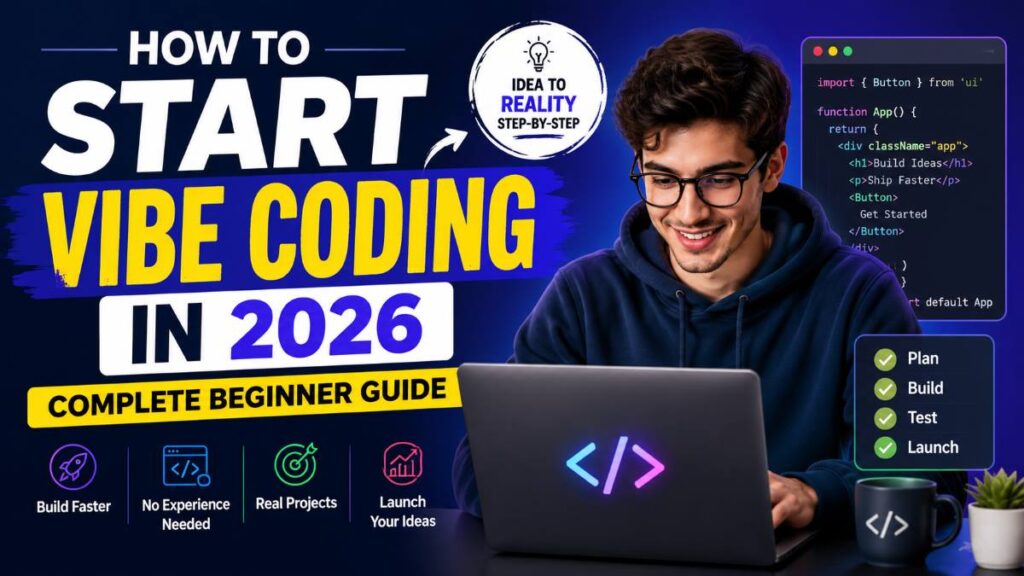
Have you ever had a software idea but felt overwhelmed by programming languages, frameworks, and technical jargon?
You’re not alone.
In 2026, a new approach called vibe coding is helping creators, entrepreneurs, freelancers, students, and hobbyists build apps, websites, automations, and digital products faster than ever. Instead of spending months learning complex syntax, you focus on describing what you want to build and refining the results.

But here’s the challenge:
Most beginners jump in without understanding the right workflow. They waste time, use the wrong tools, and quickly get frustrated.
This guide will show you exactly how to start vibe coding in 2026, even if you have little or no coding experience.
Quick Summary
- Vibe coding focuses on building software through natural instructions and iterative refinement.
- Beginners can create websites, tools, automations, and MVPs without deep programming knowledge.
- Start with beginner-friendly coding platforms and modern development environments.
- Learn basic programming concepts even if tools handle most of the coding.
- Use structured prompts and testing workflows for better results.
- Focus on solving real problems instead of chasing trendy projects.
- Choose tools based on project type, budget, and scalability.
What Is Vibe Coding?
Vibe coding is a modern software development approach where you describe what you want to build, review the generated output, and continuously refine it until it works the way you want.
Instead of manually writing every line of code, you become more like a project director.
Your role shifts from:
- Writing everything yourself
- Managing technical complexity
- Memorizing syntax
To:
- Defining goals
- Reviewing outputs
- Testing features
- Improving functionality
Simple Example
Traditional approach:
Learn HTML → Learn CSS → Learn JavaScript → Build website
Vibe coding approach:
Describe the website → Review output → Adjust design → Add features → Launch
This dramatically lowers the barrier to entry for beginners.
Why Vibe Coding Is Growing So Fast in 2026
Several factors are driving adoption:
1. Faster Project Development
Many tasks that once required days can now be completed within hours.
2. Lower Learning Curve
Beginners can start building before mastering advanced programming concepts.
3. Better Development Tools
Modern coding assistants, visual builders, and automation platforms have become significantly more reliable.
4. Ideal for Side Projects
Entrepreneurs and creators can validate ideas quickly without hiring large development teams.
Best Projects for Beginners
If you’re just getting started, avoid building massive applications.
Start with these projects instead:
Personal Website
Perfect for learning:
- Layout creation
- Navigation
- Forms
- Basic deployment
Portfolio Site
Great for:
- Freelancers
- Designers
- Students
- Job seekers
Task Manager
Helps you understand:
- Data storage
- User interactions
- Simple workflows
Expense Tracker
Useful for learning:
- Input handling
- Data visualization
- Dashboard creation
Business Landing Page
A practical project that many small businesses actually need.
Skills You Should Learn Alongside Vibe Coding
A common mistake is assuming tools eliminate the need for technical knowledge.
The most successful builders still understand the fundamentals.
Basic HTML
Learn:
- Headings
- Paragraphs
- Forms
- Links
Basic CSS
Understand:
- Colors
- Spacing
- Layouts
- Responsive design
Basic JavaScript Concepts
Focus on:
- Variables
- Functions
- Logic
- Events
Debugging
You’ll eventually encounter:
- Broken layouts
- Errors
- Missing features
Knowing how to troubleshoot saves countless hours.
Best Vibe Coding Tools for Beginners
Choosing the right platform can dramatically improve your experience.
| Tool Type | Best For | Difficulty |
|---|---|---|
| Visual Website Builders | Websites | Easy |
| App Builders | Mobile Apps | Easy |
| Automation Platforms | Workflows | Easy |
| Development Assistants | Custom Software | Medium |
| Full Development Environments | Advanced Projects | Medium |
What to Look For
Choose tools that offer:
- Beginner-friendly interface
- Good documentation
- Active community
- Affordable pricing
- Export options
- Scalability
Must Read : Claude vs ChatGPT (2026): Which AI Is Better for Coding, Writing, and Research?
Step-by-Step: How to Start Vibe Coding
Step 1: Pick One Small Project
Avoid building:
- Social networks
- Large marketplaces
- Enterprise software
Instead choose:
- Calculator
- Portfolio
- Blog
- Dashboard
Small wins build momentum.
Step 2: Define the Goal Clearly
Bad instruction:
Build a website.
Better instruction:
Build a responsive portfolio website with a homepage, project gallery, contact form, and dark mode.
Specificity improves results.
Step 3: Build the First Version
Focus only on:
- Core functionality
- Basic design
- User experience
Do not chase perfection.
The goal is a working version.
Must Read : Chat GPT New Features – ChatGPT Pro
Step 4: Test Everything
Ask yourself:
- Does every button work?
- Does it look good on mobile?
- Are forms functioning correctly?
- Is navigation intuitive?
Testing prevents future headaches.
Step 5: Improve Iteratively
Most successful projects are built through many small improvements.
Enhance:
- Design
- Performance
- Security
- Features
One step at a time.
Common Beginner Mistakes
Starting Too Big
Many people attempt huge projects immediately.
Start smaller than you think necessary.
Ignoring Fundamentals
Basic programming knowledge still provides a huge advantage.
Not Testing Frequently
Small issues become major problems when ignored.
Chasing Every New Tool
New platforms appear constantly.
Pick one ecosystem and master it first.
Poor Documentation
Keep notes on:
- Features added
- Problems solved
- Future improvements
This habit pays off later.
Vibe Coding Workflow That Actually Works
Use this framework:
Plan
Define:
- Audience
- Problem
- Features
Build
Create the first version quickly.
Test
Check:
- Functionality
- Usability
- Performance
Improve
Fix issues and add enhancements.
Launch
Publish early and gather feedback.
Repeat
Continuous improvement wins.
Comparison: Vibe Coding vs Traditional Coding
| Feature | Vibe Coding | Traditional Coding |
| Learning Curve | Lower | Higher |
| Speed | Faster | Slower |
| Customization | Moderate to High | Very High |
| Technical Knowledge | Helpful | Essential |
| Maintenance | Moderate | Moderate |
| Scalability | Depends on Tool | Excellent |
Which One Should You Choose?
Choose vibe coding if:
- You’re a beginner
- You want fast results
- You need an MVP
- You run a small business
Choose traditional coding if:
- You want maximum control
- You’re building enterprise software
- You enjoy software engineering
Many professionals combine both approaches.
Pros and Cons
Pros
✅ Faster development
✅ Beginner-friendly
✅ Lower barrier to entry
✅ Great for prototyping
✅ Ideal for startups
✅ Excellent for side projects
Cons
❌ Limited control in some platforms
❌ Requires testing and validation
❌ Complex projects may still need coding skills
❌ Tool dependency can occur
❌ Scaling may require technical expertise
Real-World Use Cases
Freelancers
Build:
- Client websites
- Landing pages
- Dashboards
Faster project delivery means higher productivity.
Small Business Owners
Create:
- Booking systems
- Lead generation pages
- Internal tools
Without hiring a full development team.
Must Read : How to Use ChatGPT for Coding: A Practical Guide for Developers
Content Creators
Build:
- Membership portals
- Resource hubs
- Interactive tools
To increase audience engagement.
Startup Founders
Validate ideas before investing heavily in development.
This reduces risk significantly.
How to Choose the Right Platform
Before investing in any solution, ask these questions:
What Are You Building?
Different tools excel at different tasks.
Examples:
- Websites
- Mobile apps
- SaaS products
- Automations
What Is Your Budget?
Consider:
- Monthly subscription
- Hosting fees
- Add-ons
- Future upgrades
Free plans are excellent for testing.
Can It Scale?
A platform that works today should still support growth next year.
Look for:
- Export options
- Integrations
- Performance capabilities
Is Support Available?
Check:
- Documentation
- Community forums
- Tutorials
- Customer support
Good support saves time.
Recommended Learning Path for 2026
Month 1
Learn:
- HTML basics
- CSS basics
- Project structure
Build:
- Personal website
Month 2
Learn:
- JavaScript fundamentals
- Forms
- Interactivity
Build:
- Calculator
- Task tracker
Month 3
Learn:
- Databases
- APIs
- Deployment
Build:
- Dashboard
- Portfolio platform
Month 4+
Start creating real-world projects and monetizable products.
Experience becomes your best teacher.
Frequently Asked Questions
Is vibe coding suitable for complete beginners?
Yes. Many beginners use it as an entry point into software development because it reduces technical barriers while still teaching practical concepts.
Do I need programming knowledge?
Not initially, but understanding programming fundamentals will significantly improve your results.
Can I build a business using vibe coding?
Yes. Many entrepreneurs use it to create websites, internal tools, MVPs, and customer-facing applications.
Is vibe coding replacing traditional coding?
No. It complements traditional development rather than replacing it.
What projects should beginners start with?
Portfolio websites, landing pages, task managers, calculators, and simple dashboards are excellent starting points.
How long does it take to learn?
Most people can build their first project within days, but mastery develops through continuous practice.
Is vibe coding good for freelancers?
Absolutely. It can help freelancers deliver projects faster while maintaining quality.
What is the biggest mistake beginners make?
Trying to build complex applications before understanding the fundamentals.
Final Verdict
Vibe coding is one of the most accessible ways to start building software in 2026.
The biggest advantage isn’t speed alone—it’s the ability to turn ideas into working projects without spending years learning every technical detail upfront.
However, success still depends on understanding fundamentals, testing thoroughly, and solving real problems.
Start small. Build consistently. Improve gradually.
Whether you’re a freelancer, entrepreneur, student, or hobbyist, the best way to learn vibe coding is simple:
Pick one project today and start building.
Next Step: Explore beginner-friendly development platforms, compare features, and choose the one that matches your goals. Then build your first working project and improve it week by week.