


Have you ever opened a database project and felt instantly overwhelmed?
Tables everywhere. Relationships unclear. No proper documentation.
And when multiple developers are involved, things quickly become confusing.
This is exactly the problem DbSchema is designed to solve.
In this detailed DbSchema review, you’ll learn what DbSchema does, who it’s best for, its strengths and limitations, and whether it’s worth using for your database projects.
Whether you’re a solo developer, DBA, or part of a growing engineering team, this guide will help you make an informed decision.


Quick Summary
- DbSchema is a visual database design and management tool
- Supports 70+ SQL and NoSQL databases
- Desktop app for Windows, Mac, and Linux
- Ideal for schema design, documentation, and collaboration
- Handles very large databases with ease
- Best suited for developers, data teams, and enterprises
👉 Best for users who want visual clarity without relying on cloud-only tools.
What Is DbSchema?
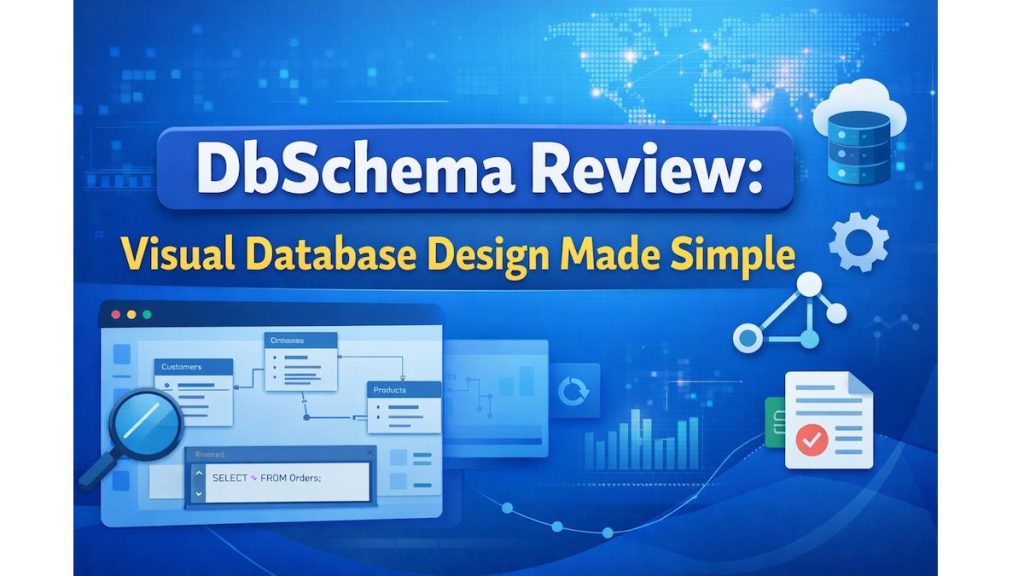
DbSchema is a database schema design software that allows you to visually design, document, and manage databases across multiple platforms.
Instead of working only with raw SQL, DbSchema gives you an interactive, diagram-based view of your database structure.
You can use it to:
- Design new database schemas
- Reverse engineer existing databases
- Create and run SQL queries
- Explore data visually
- Collaborate with team members
Unlike many online tools, DbSchema is a desktop-based application, meaning your data stays local and secure.
Must Read : Mondly Review – Can This Language Learning App Really Make You Fluent Faster?
Supported Databases (One of Its Biggest Strengths)
DbSchema works with over 70 database systems, making it extremely flexible.
Popular SQL Databases
- MySQL
- PostgreSQL
- Microsoft SQL Server
- Oracle
- MariaDB
- SQLite
NoSQL & Cloud Databases
- MongoDB
- Cassandra
- Amazon Redshift
- Snowflake
- Azure SQL
- Google Cloud databases
All connections are handled via JDBC drivers, allowing you to connect locally, remotely, or in the cloud.
Key Features of DbSchema Explained
Visual Database Design with Interactive Diagrams
DbSchema allows you to design tables and relationships visually using ER diagrams.
Why this is useful:
- Makes complex schemas easy to understand
- Helps new developers onboard faster
- Reduces schema design mistakes
You can drag, connect, zoom, and navigate through diagrams—even when working with thousands of tables.


Logical and Physical Database Design
DbSchema supports both:
- Logical design: Database-agnostic, high-level modeling
- Physical design: Database-specific implementation
This allows you to design once and deploy to different database engines, which is extremely useful for migrations and multi-environment setups.
Must Read : Aiarty Image Enhancer Review – Upscale Photos to 32K Naturally
Import and Reverse Engineer SQL Scripts
Already have an existing database?
DbSchema can:
- Import SQL DDL scripts
- Automatically generate diagrams
- Allow visual edits
- Export changes back to SQL
This is especially valuable when working with legacy or poorly documented databases.
Schema Synchronization and Deployment
DbSchema compares your design model with a live database and highlights differences.
You can:
- Review schema changes
- Apply updates safely
- Avoid accidental data loss
This feature is particularly helpful for production environments.
Database Documentation Made Easy
DbSchema can automatically generate:
- HTML documentation
- PDF schema reports
These documents are easy to share with developers, managers, and stakeholders.
This feature alone can save hours of manual documentation work.
Team Collaboration and Git Integration
DbSchema is built with teams in mind.
Key collaboration features include:
- Git-based version control
- Schema diffs and comparisons
- Branch-based workflows
- Shared documentation
This keeps everyone aligned and reduces conflicts during development.
Security and Privacy
DbSchema is designed for secure environments.
- SSL/TLS encrypted connections
- SSH tunneling support
- No mandatory cloud storage
- All data stays on your local machine
This makes it suitable for enterprise and compliance-sensitive projects.
DbSchema PRO Features (What You Get)
The free version is useful, but DbSchema PRO unlocks its full potential.
PRO features include:
- Schema synchronization
- HTML and PDF documentation export
- Advanced data and query tools
- Team collaboration tools
- Git integration
- Visual data exploration
Pros and Cons of DbSchema
Pros
- Supports a wide range of databases
- Excellent visual schema diagrams
- Handles very large databases smoothly
- Strong security and offline usage
- Powerful documentation tools
- One-time license instead of recurring SaaS fees


Cons
- Desktop-only (no web-based version)
- Slight learning curve for beginners
- Interface is functional rather than flashy
- Some advanced features require PRO
Must Read : CloneDVD Review – A Deep Dive into Features, Performance, and Real-World Use
DbSchema vs Other Database Tools
| Tool | Best Use Case | DbSchema Advantage |
|---|---|---|
| MySQL Workbench | MySQL projects | Supports many more databases |
| DBeaver | SQL management | Better schema visualization |
| Lucidchart | Diagrams only | Connects to live databases |
| DataGrip | Coding-focused | Stronger documentation tools |
DbSchema stands out when visual understanding and documentation are priorities.
Real-World Use Cases
Developers
- Understand unfamiliar databases faster
- Design schemas visually before coding
- Reduce errors during implementation
Database Administrators
- Manage schema changes safely
- Maintain accurate documentation
- Compare environments easily
Teams and Startups
- Shared understanding of data structures
- Faster onboarding for new hires
- Consistent database documentation
Enterprises
- Secure, offline-first workflows
- Handles massive schemas
- Compliance-friendly documentation
Things to Consider Before Buying DbSchema
Before choosing DbSchema, consider the following:
- Do you manage complex or large databases?
- Do you value visual clarity over raw SQL?
- Is documentation important for your workflow?
- Do you collaborate with others on database design?
If you answered yes to these, DbSchema is likely a strong fit.
Frequently Asked Questions
Is DbSchema free to use?
Yes, there is a free version. Advanced features require DbSchema PRO.
Does DbSchema support NoSQL databases?
Yes, including MongoDB and Cassandra.
Is DbSchema cloud-based?
No, it’s a desktop application for Windows, Mac, and Linux.
Can DbSchema handle very large databases?
Yes, it can manage schemas with over 10,000 tables.
Is DbSchema beginner-friendly?
It’s easier than raw SQL but still requires some learning.
Can DbSchema replace a SQL editor?
No, it complements SQL editors rather than replacing them.
Is DbSchema suitable for enterprise use?
Yes, thanks to strong security and offline capabilities.
Final Verdict: Is DbSchema Worth It?
DbSchema is more than just a database tool—it’s a visual database management platform.
If you:
- Work with complex schemas
- Need reliable documentation
- Collaborate with teams
- Prefer secure, offline tools
Then DbSchema is a smart and practical choice.