


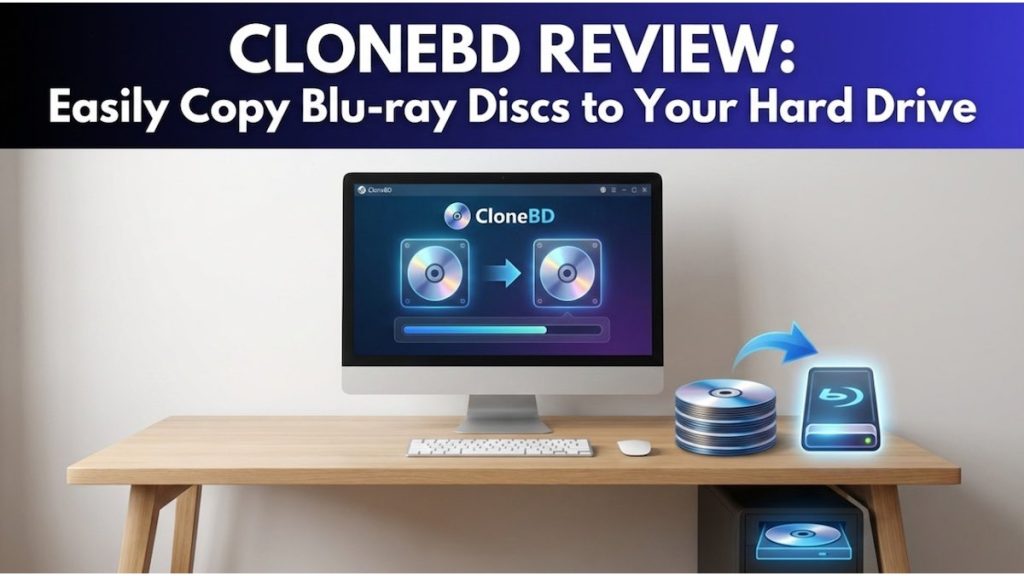
Blu-ray discs offer amazing video quality, but they come with real-world problems.
Discs get scratched.
Blu-ray players become outdated.
And carrying a physical collection everywhere just isn’t practical anymore.
If you’ve ever wished you could copy your Blu-ray discs to your hard drive, keep backups, or convert them into device-friendly formats, you’re not alone.
That’s where CloneBD comes in.
In this in-depth CloneBD review, I’ll break down what it does, how it works, who it’s best for, and whether it’s worth your money — all in simple, honest terms.


Quick CloneBD Summary
- Best for: Copying unprotected Blu-ray discs to hard drive or blank discs
- Supports: 1:1 Blu-ray copy, compression, and video conversion
- Formats: MP4, MKV, AVI, and more
- Speed: Fast with multi-core CPU & hardware acceleration
- Regions: Supports Blu-ray regions A, B, and C
- Platforms: Windows only
👉 Ideal if you want an easy, no-driver Blu-ray copy solution
What Is CloneBD?
CloneBD is a Windows-based Blu-ray copy and conversion software designed to help you:
- Copy Blu-ray discs to your hard drive
- Create 1:1 Blu-ray backups
- Compress large Blu-ray discs
- Convert Blu-ray movies into digital formats
Unlike overly complex ripping tools, CloneBD focuses on simplicity, speed, and flexibility — without requiring third-party drivers.
Must Read : AVS4You Review – Is This All-in-One Multimedia Suite Worth It?
Key Features of CloneBD (Explained Simply)
1. Copy Blu-ray Disc 1:1 or Partial
CloneBD allows you to choose how much control you want.
You can:
- Make a full 1:1 Blu-ray copy
- Copy only selected titles
- Remove unwanted audio or subtitle tracks
This is perfect if you want to save storage space or keep only what you actually watch.
2. Compress BD-50 to Smaller Sizes
Large Blu-ray discs take up serious space.
CloneBD can compress:
- BD-50 → BD-25
- BD-50 → BD-9 or BD-5
This is useful if you want backups that fit on smaller blank discs or portable storage.


3. Convert Blu-ray to Popular Video Formats
One of CloneBD’s biggest strengths is format flexibility.
Supported output formats include:
- MP4
- MKV
- AVI
You can also convert Blu-ray movies for:
- Android phones
- iPhone & iPad
- Smart TVs
- Tablets
- Media players
This makes CloneBD a practical Blu-ray to MP4 converter for everyday use.
4. Supports All Blu-ray Regions (A, B, C)
Region locks can be frustrating.
CloneBD supports:
- Region A
- Region B
- Region C
So you can copy Blu-rays purchased internationally without worrying about compatibility.
Must Read : How to update your drivers in Windows automatically
5. Built-In Blu-ray Preview Player
Before copying, CloneBD includes a preview player that lets you:
- Preview titles
- Identify the main movie
- Avoid copying unnecessary extras
This saves time and storage space.


6. No Third-Party Drivers Needed
Many Blu-ray tools require extra drivers that can:
- Slow down your system
- Cause conflicts
- Break after Windows updates
CloneBD avoids this by using an internal UDF 2.50 parser, making installation clean and hassle-free.
7. Fast Performance with Hardware Acceleration
CloneBD supports:
- Multi-core CPUs
- NVIDIA CUDA hardware acceleration
Result?
- Faster copy times
- Lower CPU usage
- Smoother performance on modern PCs
8. 3D and UHD Blu-ray Support
Advanced users will appreciate:
- 3D Blu-ray conversion to MKV
- H.265 / HEVC compression
- Ultra HD (UHD) Blu-ray support
These features help preserve quality while reducing file size.
System Requirements (What You’ll Need)
Before installing CloneBD, make sure your system meets these requirements:
- Windows Vista / 7 / 8 / 10 / 11 (32 & 64-bit)
- Minimum 2 GHz processor
- At least 2 GB RAM
- Blu-ray reader or writer
- 50–100 GB free disk space
- Administrator rights for installation
Pros and Cons of CloneBD
| Pros | Cons |
|---|---|
| Easy-to-use interface | Windows-only |
| No third-party drivers | Does not handle protected discs |
| Supports many formats | Requires large temp storage |
| Hardware acceleration | No built-in editing tools |
| Region-free copying |
How CloneBD Compares to Alternatives
CloneBD vs Other Blu-ray Copy Software
CloneBD stands out for:
- Simplicity
- Clean installation
- Reliable 1:1 copies
Other tools may offer:
- More advanced editing
- Built-in decryption (not always legal or stable)
If your goal is clean, fast, and legal Blu-ray backups, CloneBD keeps things straightforward.
Must Read : Why Is My Phone Screen Pressing Itself? Causes, Fixes, and Long-Term Solutions
Real-World Use Cases
Who Is CloneBD Best For?
CloneBD is ideal if you:
- Want to back up your Blu-ray collection
- Need to convert Blu-ray movies for mobile devices
- Prefer simple software over complex tools
- Have unprotected Blu-ray discs
- Want region-free copying
Who Should Skip It?
You may want to look elsewhere if:
- You need built-in video editing
- You use macOS or Linux
- You want automatic handling of copy-protected discs
Things to Consider Before Buying CloneBD
Before clicking “Buy,” ask yourself:
- Do I want full disc backups or just the main movie?
- How much storage space do I have?
- Will I convert videos for mobile devices?
- Do I prefer fast performance over advanced editing?
Answering these will help you decide if CloneBD fits your workflow.


Frequently Asked Questions (FAQs)
1. Is CloneBD legal to use?
CloneBD is legal when used to copy unprotected Blu-ray discs for personal use. Always follow local copyright laws.
2. Can CloneBD copy protected Blu-ray discs?
No. CloneBD works with unprotected Blu-ray discs only.
3. Does CloneBD work on Windows 11?
Yes, CloneBD is fully compatible with Windows 11.
4. Can I convert Blu-ray to MP4 using CloneBD?
Yes, CloneBD supports MP4, MKV, AVI, and more.
5. Does CloneBD reduce video quality?
You control compression settings. With H.265/HEVC, quality loss is minimal.
6. Is CloneBD beginner-friendly?
Yes. The interface is clean and easy to understand.
7. Does CloneBD support external hard drives?
Yes, you can copy Blu-rays directly to external storage.
Internal Linking Suggestions (Anchor Text Only)
- Best Blu-ray copy software for Windows
- How to back up Blu-ray discs safely
- Blu-ray vs digital formats explained
- External hard drive storage guide
Final Verdict: Is CloneBD Worth It?
CloneBD delivers exactly what it promises — a reliable, easy-to-use Blu-ray copy and conversion tool without unnecessary complications.
It’s not overloaded with features, and that’s a good thing.
If your goal is to:
- Copy Blu-ray discs to your hard drive
- Create clean 1:1 backups
- Convert Blu-rays for everyday devices
- Avoid driver issues and complex setups
👉 CloneBD is a solid, dependable choice.