


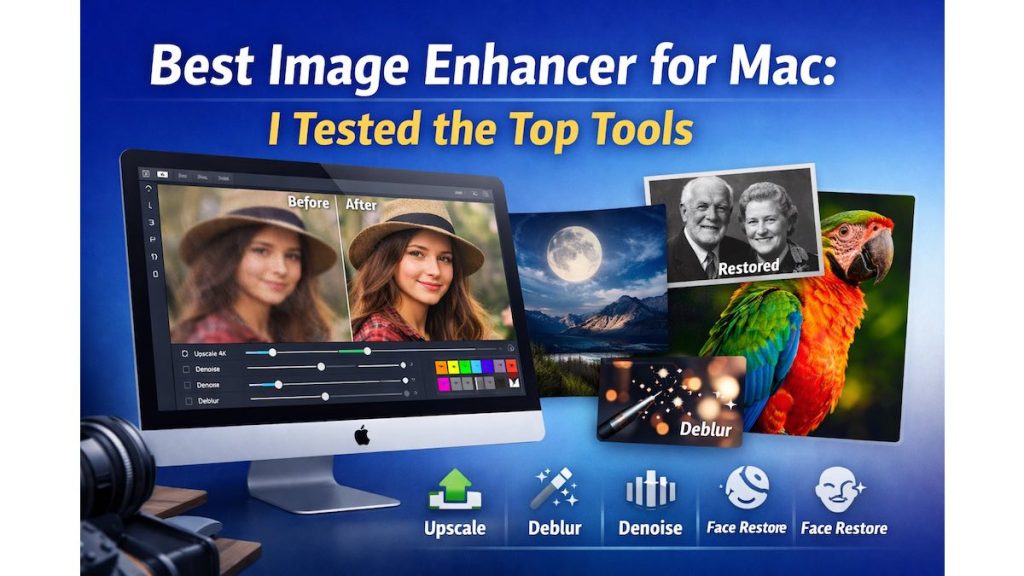
Have you ever opened a photo on your Mac and thought, “Why does this look blurry?”
It happens more often than you think.
Old photos, compressed web images, low-light shots, and even AI-generated images can lose clarity when viewed on larger screens.
While macOS includes basic editing tools, they’re not built for serious image enhancement. That’s why I tested several image enhancers designed specifically for Mac to find out which one actually delivers real improvements—without ruining image quality.
In this guide, I’ll share my hands-on experience, real results, and which tool I believe is the best image enhancer for Mac right now.


Quick Summary
Short on time? Here’s the takeaway:
- Best overall image enhancer for Mac: Aiarty Image Enhancer
- Best for upscaling images to 4K/8K/32K: Aiarty
- Best for restoring old or blurry photos: Aiarty Face Restoration
- Best balance of power and control: Aiarty’s strength and color controls
If you want one tool that can upscale, denoise, deblur, restore faces, and clean up photos, Aiarty Image Enhancer stands out.
How I Tested These Image Enhancers on Mac
To keep things fair, I used the same images across all tools:
- Low-resolution images (720p and below)
- Old scanned photos
- Night and low-light photos with heavy noise
- Blurry web images and compressed JPEGs
- AI-generated artwork with visible artifacts
What I Focused On
- Sharpness and clarity
- Natural detail restoration
- Noise and blur removal
- Color accuracy
- Ease of use on macOS
- Export formats (JPG, PNG, TIFF, DNG)
What Makes a Good Image Enhancer for Mac?
Before choosing any tool, here’s what actually matters:
Key Features to Look For
- AI-powered upscaling (not basic pixel stretching)
- Denoise and deblur capabilities
- Detail preservation (skin, hair, textures)
- Manual strength control
- macOS-friendly performance
- Professional export options
Many tools claim to “enhance” images, but very few improve them naturally.
Best Image Enhancer for Mac (My Top Pick)
Aiarty Image Enhancer – Full Review
After testing multiple options, Aiarty Image Enhancer delivered the most consistent and natural results on Mac.
This isn’t just an upscaler. It’s a complete AI-powered image enhancement solution designed to restore, enhance, and clean images in one workflow.
Key Features That Make Aiarty Stand Out
AI Super-Resolution (Up to 4K / 8K / 32K)
Most traditional tools simply enlarge pixels, which causes blur.
Aiarty uses advanced AI models to reconstruct missing details during upscaling.
What I noticed:
- Sharper edges without harsh artifacts
- Improved textures in clothing and backgrounds
- Natural-looking results even at high resolutions
This is ideal for prints, wallpapers, presentations, and large displays.


Strength Control (Avoid Over-Processing)
This feature alone sets Aiarty apart.
Instead of forcing aggressive sharpening, Aiarty lets you adjust how strong the enhancement should be.
Why this matters:
- Light touch for portraits
- Stronger enhancement for poor-quality images
- No “plastic” or artificial look
Perfect for both beginners and advanced users.
AI Denoise for Low-Light Photos
Night photos often suffer from heavy grain and color noise.
Aiarty’s AI denoise feature:
- Removes noise effectively
- Preserves fine details
- Improves clarity without smudging
Great for smartphone photos, event shots, and older digital camera images.
AI Deblur for Soft and Compressed Images
Blurry images aren’t always fixable—but Aiarty handles mild to medium blur surprisingly well.
It helps:
- Reduce motion blur
- Improve soft images
- Clean up compressed JPEGs
It won’t perform miracles, but the improvement is noticeable.
Gen-detail GAN v3 – Realistic Detail Restoration
This model is designed to generate and preserve fine details like:
- Skin texture
- Hair strands
- Lines and patterns
The lower the original image quality, the more impressive the improvement.
AI Face Restoration
If you work with portraits or old photos, this feature is extremely useful.
It enhances faces by:
- Improving clarity
- Preserving natural skin tones
- Avoiding over-smoothing
Perfect for restoring family photos and scanned prints.


Color Panel – Manual Control Without Guesswork
Instead of automatic color changes, Aiarty provides a dedicated color panel where you can adjust:
- White balance
- Contrast
- Saturation
- Highlights and shadows
This ensures images stay realistic and true to life.
AI Eraser (Beta)
The built-in AI Eraser allows you to remove unwanted objects with a few brush strokes.
Best for:
- Removing photobombers
- Cleaning up backgrounds
- Improving product and travel photos
Pros and Cons of Aiarty Image Enhancer
| Pros | Cons |
|---|---|
| Excellent upscaling quality | AI Eraser still in beta |
| Natural detail restoration | Needs decent Mac hardware |
| Adjustable enhancement strength | Desktop app only |
| Strong face restoration | |
| Supports TIFF and DNG export |
Who Should Use Aiarty Image Enhancer?
Aiarty is a great fit if you’re:
- A Mac user wanting better image quality
- A photographer restoring old or low-resolution photos
- A designer working with compressed assets
- A content creator improving social media visuals
- An eCommerce seller enhancing product images
- A digital artist upscaling AI-generated art
Aiarty vs Other Image Enhancers for Mac
| Feature | Aiarty | Typical Enhancer |
|---|---|---|
| AI detail generation | Yes | Limited |
| Upscaling up to 32K | Yes | Rare |
| Strength control | Yes | No |
| Face restoration | Yes | Basic |
| Color adjustment panel | Yes | Auto only |
| Object removal | Yes | No |
Real-World Use Cases
Old Photo Restoration
Restore scanned and faded photos with face enhancement and denoise.
AI Art Upscaling
Increase resolution for posters, wallpapers, and large prints.
E-Commerce Images
Improve product clarity for better engagement and conversions.
Social Media Content
Create sharper, cleaner visuals that stand out in feeds.
Buying Guide: Things to Consider
Before choosing an image enhancer for Mac, ask yourself:
- Do I need high-resolution upscaling?
- Will I restore old or blurry photos?
- Do I want manual control over enhancement?
- Do I need professional export formats like TIFF or DNG?
If most answers are “yes,” Aiarty is worth considering.
Frequently Asked Questions
What is the best image enhancer for Mac?
Aiarty Image Enhancer offers one of the best combinations of quality, control, and features for macOS users.
Can image enhancers really improve low-resolution photos?
Yes. AI-based tools can reconstruct missing details instead of just enlarging pixels.
Is AI upscaling better than traditional upscaling?
In most cases, yes. AI produces more natural textures and fewer artifacts.
Does Aiarty work offline on Mac?
Yes, it runs locally without needing cloud uploads.
Can I use it for old scanned photos?
Absolutely. Face restoration and denoise work very well for older images.
Final Verdict: Best Image Enhancer for Mac
After hands-on testing, Aiarty Image Enhancer is my top recommendation for Mac users.
It doesn’t just make images bigger—it makes them clearer, sharper, and more natural. The balance between automation and manual control makes it suitable for casual users and professionals alike.
If image quality matters to you, this is one tool worth trying.