


If you work with PDFs regularly, you’ve probably faced this situation before.
You open an important document…
But the text isn’t editable.
Search doesn’t work.
Copy-paste breaks the formatting.
This usually happens with scanned PDFs or paper documents converted into digital files.
ABBYY FineReader PDF for Windows claims to fix all of that by combining advanced OCR, PDF editing, and document workflow tools into one solution.

But with its premium pricing, a fair question arises:
Is ABBYY FineReader PDF actually worth the price?
Let’s break it down honestly — features, benefits, drawbacks, and who should (and shouldn’t) buy it.
Quick Verdict
- Best for: Professionals, businesses, and power users handling scanned documents
- Biggest strength: Best-in-class OCR accuracy
- Weakest point: Higher price than basic PDF editors
- Overall verdict: Worth it if document digitization is part of your daily work
What Is ABBYY FineReader PDF for Windows?
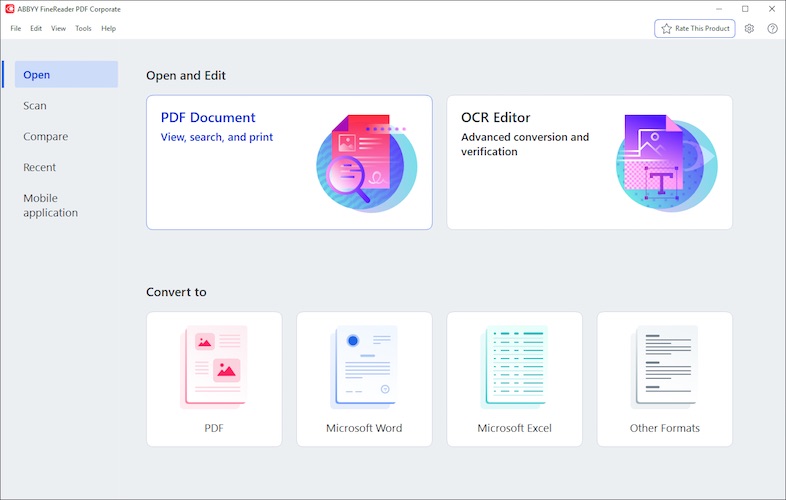
ABBYY FineReader PDF for Windows is a professional PDF and document digitization software designed to help users:
- Digitize paper documents
- Convert scanned PDFs into editable files
- Edit digital and scanned PDFs
- Compare documents accurately
- Protect, share, and collaborate on PDFs
Unlike basic PDF editors, FineReader focuses heavily on OCR (Optical Character Recognition) and workflow efficiency.
This makes it especially useful for offices, legal teams, researchers, and businesses that deal with large volumes of documents.
Must Read : Aiarty Image Matting Review: Precision Background Removal Made Simple
Key Features Explained in Simple Terms
Advanced OCR Technology (Core Strength)
OCR is where ABBYY FineReader shines.
It allows you to:
- Convert scanned PDFs into editable text
- Recognize complex layouts like tables and columns
- Maintain original formatting better than most tools
- Work with over 190 supported languages
If you’ve used free OCR tools before, you’ll immediately notice how much cleaner and more accurate the results are.
Edit Scanned and Digital PDFs Easily
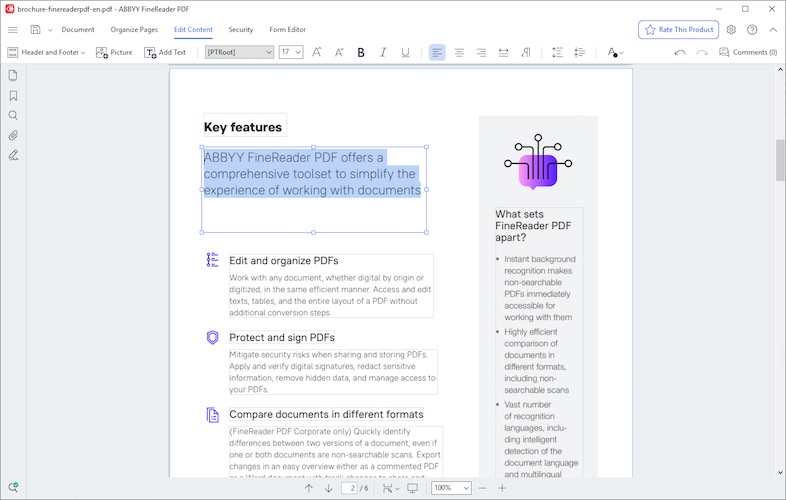
ABBYY FineReader lets you edit PDFs almost like a Word document.
You can:
- Correct sentences and paragraphs
- Modify scanned text
- Adjust layout and formatting
- Insert or remove images
This saves hours compared to recreating documents manually.
Digitize Your Entire Document Workflow
FineReader isn’t just a PDF editor — it’s a document productivity tool.
You can:
- Scan paper documents
- Convert them into searchable PDFs
- Organize files digitally
- Share and collaborate with others
It’s ideal for businesses moving away from paper-based processes.
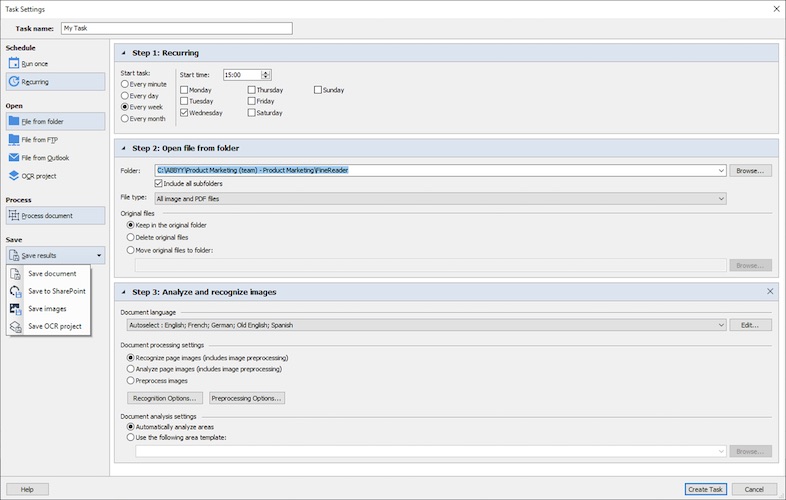
Automated Conversion (Up to 5,000 Pages per Month)
One standout feature is automated document conversion.
You can convert PDFs into:
- Word
- Excel
- PowerPoint
- Searchable PDFs
The software supports automated conversion of up to 5,000 pages per month, which is a huge benefit for document-heavy workflows.
Document Comparison Tool
ABBYY FineReader includes a built-in document comparison feature.
It allows you to:
- Compare two versions of a document
- Highlight text and formatting differences
- Review changes quickly
This is especially useful for contracts, policies, and legal documents.
Must Read : Why Is My Phone Screen Pressing Itself? Causes, Fixes, and Long-Term Solutions
PDF Security and Protection
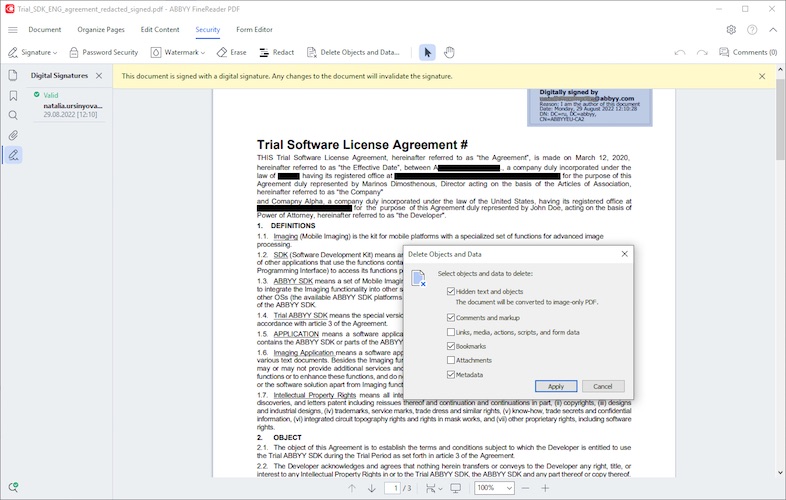
FineReader also includes PDF security tools such as:
- Password protection
- Redaction of sensitive information
- Digital signatures
These features are essential when dealing with confidential documents.
Key Benefits at a Glance
- Optimize document processes in one workflow
- Edit scanned PDFs with ease
- Digitize paper documents accurately
- Reduce IT costs with flexible licensing
- Standardize PDF tools across teams
- Simplify deployment and license management
Pros and Cons
Pros
- Excellent OCR accuracy
- Handles complex layouts very well
- Powerful document comparison
- Suitable for high-volume document work
- Professional security features
Cons
- More expensive than basic PDF editors
- Too advanced for casual users
- Windows-only software
ABBYY FineReader PDF Pricing: Is It Expensive?
ABBYY FineReader PDF is available via subscription plans (1-year or 3-year options).
While it’s priced higher than entry-level PDF tools, it replaces multiple software solutions, including:
- OCR software
- PDF editor
- Document comparison tool
For businesses and professionals, this often results in better value and lower long-term costs.
👉 Check current pricing | View subscription plans
ABBYY FineReader vs Adobe Acrobat
Here’s a quick comparison to help you decide:
| Feature | ABBYY FineReader PDF | Adobe Acrobat |
|---|---|---|
| OCR Accuracy | Excellent | Good |
| Scanned PDF Editing | Advanced | Basic |
| Document Comparison | Included | Limited |
| Best For | OCR-heavy workflows | General PDF use |
| Price Range | Premium | Premium |
Summary:
Adobe Acrobat works well for everyday PDF tasks.
ABBYY FineReader is better if OCR and document digitization are priorities.
Real-World Use Cases
Businesses and Enterprises
- Digitizing paper archives
- Standardizing document workflows
- Reducing manual data entry
Legal and Compliance Teams
- Comparing contracts
- Redacting sensitive data
- Reviewing document revisions
Students and Researchers
- Converting scanned research papers
- Making PDFs searchable
- Extracting text accurately
Freelancers and Consultants
- Editing client documents
- Converting invoices and reports
- Must Read : How to Recover Deleted WhatsApp Messages Without Backup
Who Should Use ABBYY FineReader PDF?
ABBYY FineReader PDF is ideal if:
- You work with scanned documents frequently
- OCR accuracy matters to your work
- You handle document comparisons
- You want one tool instead of multiple apps
It may not be the best choice if you only need basic PDF viewing or occasional edits.
Buying Guide: Things to Consider
Before purchasing, consider the following:
- How often do you work with scanned PDFs?
- Do you need accurate text recognition?
- Will document comparison save time?
- Are you replacing multiple tools with one solution?
If the answer is “yes” to most, ABBYY FineReader is a solid investment.
Frequently Asked Questions
Is ABBYY FineReader PDF good for OCR?
Yes, it’s widely considered one of the most accurate OCR tools for Windows.
Can ABBYY FineReader edit scanned PDFs?
Yes, it allows full text editing in scanned PDFs.
Is ABBYY FineReader better than free OCR tools?
For accuracy, formatting, and professional use — yes.
Does it support multiple languages?
Yes, it supports over 190 languages.
Is ABBYY FineReader a one-time purchase?
No, it uses subscription-based pricing.
Can it handle large document volumes?
Yes, up to 5,000 pages per month.
Final Verdict: Is ABBYY FineReader PDF Worth It?
ABBYY FineReader PDF for Windows is not a budget tool — and it’s not meant to be.
If your work involves:
- Document digitization
- Scanned PDFs
- OCR accuracy
- Workflow optimization
Then it’s absolutely worth the price.
For casual users, it may be more than you need.
For professionals and businesses, it can save time, reduce errors, and improve productivity.
Bottom line:
If documents are a big part of your daily workflow, ABBYY FineReader PDF for Windows is a premium tool that delivers premium results.