


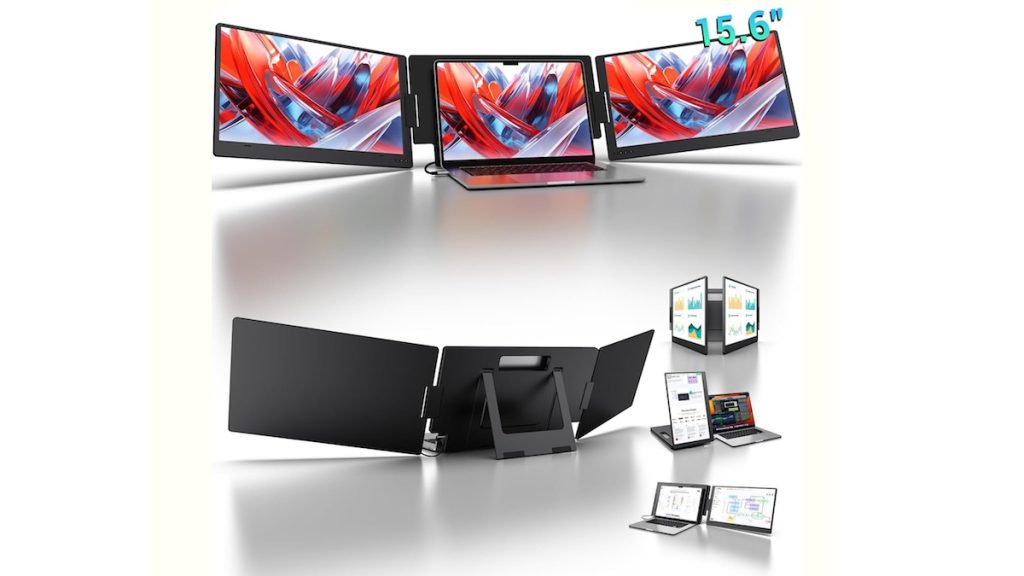
productivity tools are evolving to keep up with the demands of hybrid work, remote collaboration, and mobile lifestyles. One standout innovation making waves among professionals, students, and digital nomads is the triple portable monitor for laptops. Among the popular options in this space is the KYY 15.6″ Laptop Screen Extender (X90D)—a compact yet powerful dual-screen solution designed to transform how you work, learn, or play on the go.
This article explores the features, benefits, and practical applications of the KYY 15.6″ Triple Portable Monitor, providing an in-depth guide for those considering whether this device is the right addition to their laptop setup.

Why Triple Portable Monitors Are Trending
Gone are the days when professionals and creators were confined to a single screen. Studies have shown that multiple monitor setups can increase productivity by up to 42%. With more people working remotely, managing side projects, or multitasking between apps, a portable multi-screen extender offers the best of both worlds: mobility and performance.
The KYY X90D addresses this need by combining compact design, full HD visuals, and versatile connectivity. It eliminates the clutter of traditional desktop monitors while giving you the flexibility of a three-screen workstation that fits in your backpack.
Key Features of the KYY 15.6″ Laptop Screen Extender
1. Single-Cable Connection + Versatile Compatibility
One of the biggest advantages of the KYY X90D is its plug-and-play connectivity. With just a single full-featured USB-C or Type-A cable, users can quickly extend or mirror their laptop’s display. Unlike older models that require multiple wires and adapters, this streamlined connection simplifies setup significantly.
Must Read : Latest Amazon Kindle
Compatibility is another major highlight. The device works with:
- Windows laptops
- Mac OS systems
- Chrome OS devices
- Android smartphones and tablets
However, one important detail to note is that the device requires drivers. If your work laptop has strict IT restrictions and prevents driver downloads, the extender may not function. This makes it crucial to check your laptop’s software permissions before purchase.
2. 15.6-Inch Dual Portable Monitor Setup
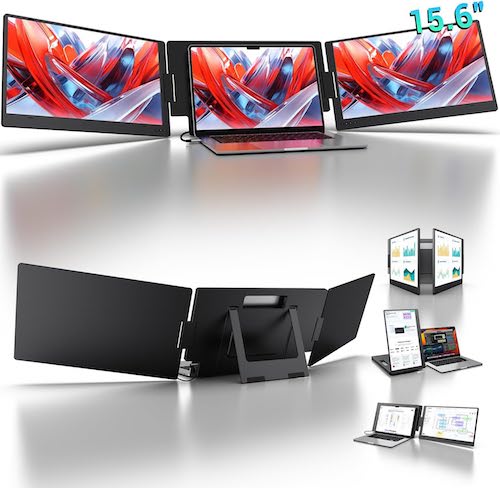
The centerpiece of the KYY X90D is its 15.6-inch FHD IPS monitor. With a resolution of 1920 x 1080, it delivers crisp visuals suitable for everything from spreadsheets to video playback.
When paired with your laptop, the KYY monitor allows you to create:
- A dual-screen setup (laptop + one extender), or
- A triple-screen setup (laptop + two extenders).
This flexibility makes it ideal for professionals who need additional workspace without investing in bulky stationary monitors.
3. Adjustable and Portable Design
Mobility is at the heart of this product. The aluminum alloy frame offers both durability and lightweight portability, making it easy to carry in a laptop bag.
Key design highlights include:
- 360° Rotation: Easily flip, fold, or rotate the screen for presentations, collaboration, or vertical reading.
- Built-in Kickstand: Adjust the monitor’s angle to achieve an ergonomic view that reduces strain on the neck and eyes.
- Flat Folding Frame: When not in use, the screen folds neatly, making it highly travel-friendly.
This thoughtful design ensures the monitor adapts to different working environments—be it a coffee shop, office, or airplane tray table.
Must Read : Logitech Mouse Pad Review
4. High-Resolution Display for Clarity
Visual performance is another standout area. The 15.6-inch LCD screen offers:
- 1920 x 1080 Full HD resolution
- 1200:1 contrast ratio
- 60Hz refresh rate
- 178° wide viewing angle
This combination ensures vibrant colors, sharp text, and smooth video playback. Whether you’re working on graphic design, streaming videos, or analyzing data, the screen quality enhances your experience.
Benefits of Using a Triple Portable Monitor Setup
1. Boosted Productivity
Imagine managing email, spreadsheets, and video calls without constantly switching windows. With a triple-monitor setup, you can dedicate each screen to a task, making workflows more efficient. For developers, designers, and analysts, this can mean faster problem-solving and less distraction.
2. Enhanced Remote Collaboration
For remote workers, the ability to share one screen with teammates while referencing another screen privately is invaluable. The KYY extender makes virtual meetings and collaborations smoother by keeping multiple apps visible at once.
3. Creative Workflow Optimization
Video editors, content creators, and digital artists often rely on multi-monitor setups. With the KYY X90D, you can edit on one screen, preview on another, and manage files on your main laptop—all without carrying heavy desktop monitors.
4. Entertainment on the Go
Beyond work, the extender doubles as an entertainment hub. Use one screen for gaming, another for streaming, and your main laptop for browsing. Its FHD resolution and wide viewing angle also make it great for watching movies during travel.
5. Portability for Students and Professionals
Students can use the KYY extender for research, note-taking, and online classes simultaneously. For professionals constantly on the move, it creates a powerful mobile workstation without adding excessive weight.
Practical Use Cases
- Business Executives: Running presentations with one screen facing clients while keeping notes on another.
- Freelancers and Creatives: Managing design software, communication apps, and project trackers side by side.
- Students: Balancing research articles, lecture slides, and writing assignments without endless tab switching.
- Gamers: Expanding the gaming view or running Twitch/Discord alongside gameplay.
- Travelers: Turning hotel rooms and airport lounges into full-fledged workspaces.
Things to Consider Before Buying
While the KYY X90D is packed with features, there are a few considerations to keep in mind:
- Driver Requirement: Ensure you can install necessary drivers, especially if using a corporate laptop.
- Power Draw: Some laptops may struggle to power multiple monitors through USB-C, requiring external power.
- Port Availability: Not all laptops come with multiple USB-C or Type-A ports, so check compatibility.
- Learning Curve: Setting up a triple-screen workflow can take time to optimize for your specific needs.
Final Verdict: Is the KYY 15.6″ Laptop Screen Extender Worth It?
The KYY 15.6″ Triple Portable Monitor (X90D) strikes a balance between portability, performance, and affordability. Its single-cable connectivity, 1080p resolution, and versatile design make it an excellent choice for professionals, students, and travelers seeking an on-the-go productivity boost.
If you need a lightweight, foldable, and reliable solution to extend your laptop’s functionality, this device delivers on its promise. Just make sure you can install the required drivers and confirm your laptop has the necessary ports.