


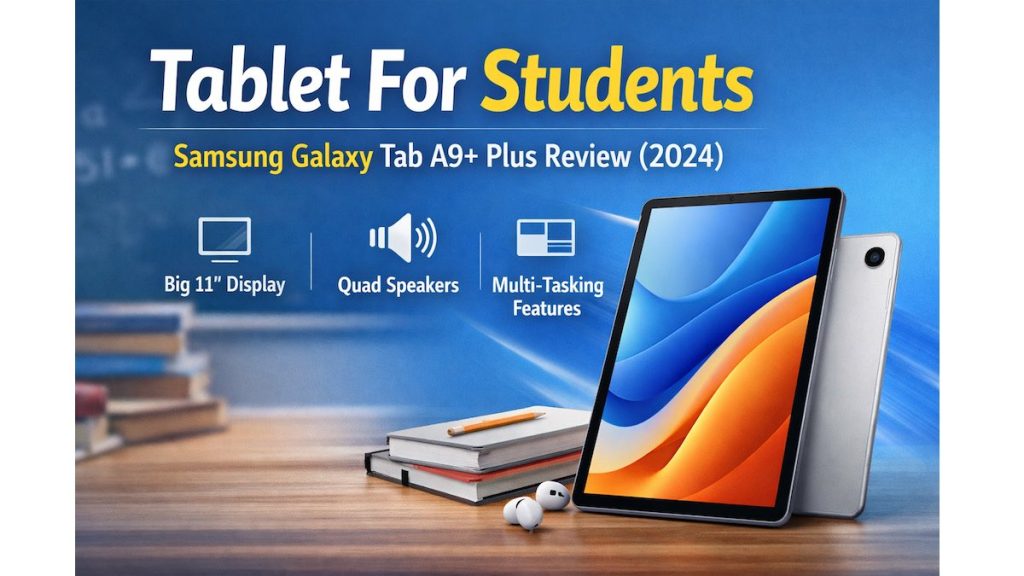
Finding the right tablet for students isn’t as simple as picking the cheapest option.
Students today need a device that can handle online classes, support multitasking, offer entertainment without distractions, and stay durable enough for daily use.

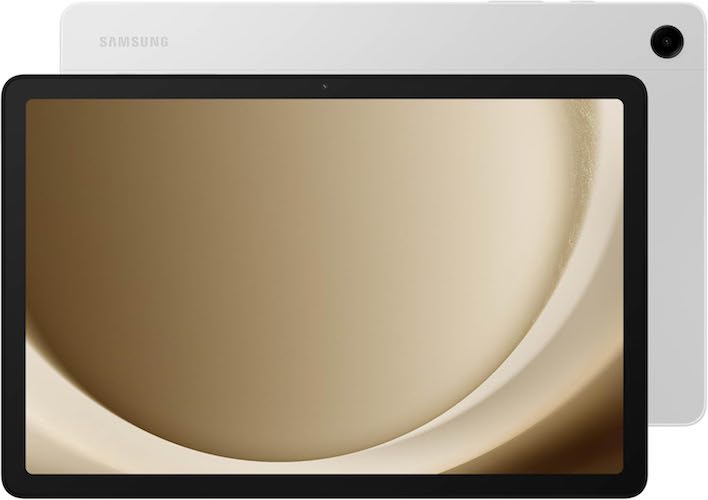
Many tablets struggle to balance performance, price, and student-friendly features. That’s where the Samsung Galaxy Tab A9+ Plus quietly stands out.
With its large 11-inch display, smooth performance, kid-friendly controls, and trusted Samsung ecosystem, it’s designed for learning and everyday fun—without stretching your budget.
Let’s explore whether this tablet truly deserves a spot in a student’s daily routine.
Must Read : Best WhatsApp Privacy Settings to Hide Online Status
Quick Summary
- Best for: Students, online classes, families, and kids
- Display: 11-inch screen with up to 90Hz refresh rate
- Audio: Quad speakers with Dolby Atmos
- Performance: Smooth multitasking with upgraded chipset
- Storage: 64GB (expandable with microSD card)
- Special features: Multi Window, Samsung Kids, Quick Share
- Overall verdict: Excellent value-for-money student tablet
CTA: Check price | See full features
Why Samsung Galaxy Tab A9+ Plus Is a Great Tablet for Students
Big Screen That’s Comfortable for Study
The 11-inch display gives students plenty of space for:
- Online lectures
- Reading PDFs and eBooks
- Split-screen multitasking
The 90Hz refresh rate makes scrolling and transitions feel smooth, which is easier on the eyes during long study sessions.
Smooth Performance for Everyday Student Needs
Students don’t need flagship power, but they do need consistency.
The upgraded chipset handles:
- Google Classroom and online learning platforms
- Zoom and Google Meet classes
- Microsoft Office and Google Docs
- Casual games and streaming apps
Everything feels responsive, even when switching between apps.
Must Read : How to Recover Deleted WhatsApp Messages Without Backup
Multitasking with Multi Window Display
One standout feature is Multi Window Display.
Students can:
- Watch lectures while taking notes
- Browse the web and write assignments side by side
- Chat with classmates while reviewing materials
This boosts productivity and reduces the need to switch devices.
Quad Speakers with Dolby Atmos
Audio quality is often overlooked, but it matters.
With quad speakers powered by Dolby Atmos, voices sound clear during online classes, and entertainment feels immersive during downtime.
No constant need for headphones.
Designed for Students and Families
Samsung Kids: Safe Learning for Younger Users
The built-in Samsung Kids app offers:
- Screen time limits
- App and content controls
- Educational, child-friendly content
Kids stay entertained and safe, while parents stay in control.
Must Read : HAOYUYAN Wireless Earbuds Review
Slim, Light, and Durable Design
The Galaxy Tab A9+ Plus is:
- Slim and lightweight
- Easy to carry in backpacks
- Durable enough for everyday student use
Ideal for school, home, and travel.
Storage and Connectivity Features
Storage That Grows with You
- 64GB internal storage
- Expandable via microSD card
Perfect for study materials, notes, apps, and offline videos.
Easy File Sharing with Quick Share
Quick Share allows fast file transfers between:
- Android phones and tablets
- Windows PCs
- iOS devices (via shared links)
Useful for assignments and group projects.
Smart View for Bigger Displays
Using Smart View, students can cast videos or presentations to a compatible Samsung TV.
Great for group study sessions or family viewing.
Pros and Cons
| Pros | Cons |
|---|---|
| Large 11-inch display | No S Pen included |
| Smooth 90Hz refresh rate | Not designed for heavy gaming |
| Quad speakers with Dolby Atmos | Average camera quality |
| Multi Window multitasking | Keyboard sold separately |
| Kid-friendly parental controls | No fingerprint scanner |
Comparison: Galaxy Tab A9+ Plus vs Lenovo Tab M11
| Feature | Galaxy Tab A9+ Plus | Lenovo Tab M11 |
|---|---|---|
| Display | 11-inch, 90Hz | 11-inch, 60Hz |
| Audio | Quad speakers | Dual speakers |
| Software | Samsung One UI | Near-stock Android |
| Kids Mode | Yes | Limited |
| Brand Support | Strong | Moderate |
Verdict: Samsung offers better audio, smoother visuals, and stronger family features.
Real-World Student Use Cases
Online Classes
Stable performance for video calls and virtual learning platforms.
Note-Taking and Reading
Large screen and split-screen support for PDFs and research.
Entertainment
Movies, YouTube, and casual games during breaks.
Shared Family Tablet
Kids mode for younger siblings and productivity for older students.
Buying Guide: Should You Choose This Tablet?
Choose the Samsung Galaxy Tab A9+ Plus if:
- You want a reliable tablet for school and online classes
- You prefer a large display on a reasonable budget
- You need a family-friendly device
You may want alternatives if you need advanced drawing features or laptop-level performance.
CTA: Learn more about compatible accessories
Frequently Asked Questions (FAQs)
Is Samsung Galaxy Tab A9+ Plus good for students?
Yes, it’s well-suited for online classes, multitasking, and everyday study needs.
Can kids safely use this tablet?
Yes, Samsung Kids provides strong parental controls and safe content.
Does it support multitasking?
Yes, with Multi Window Display for split-screen use.
Is the storage expandable?
Yes, it supports microSD cards (sold separately).
Can it replace a laptop?
For basic tasks like browsing, documents, and classes—yes. For advanced work, a laptop is better.
Is it good for note-taking?
Yes, especially with split-screen apps and an external keyboard.
Final Verdict: Is It Worth Buying?
The Samsung Galaxy Tab A9+ Plus delivers a strong balance of performance, display quality, and family-friendly features.
It’s a smart choice for students who need a dependable tablet for learning, entertainment, and everyday tasks—without paying flagship prices.